Help Center
How can we help?
What you can get done with Nisa
Find 20 HR software companies in Berlin with a website.Unlock contacts and emailsThe right person per company, the email only after you OK the price.
Find the head of HR at these companies and their email address.First outreach in your voiceA draft that sounds like you. It goes out only after your tap.
Write the five of them a short first email, the way I write.Follow up when nobody repliesNo reply? She brings you a follow-up to approve.
If there is no reply by Thursday, follow up politely.
Write a job profile for a marketing working student, 20 hours a week.Find candidates and draft the messageMatching profiles and a draft message for each, for you to approve.
Find 15 backend developers in Munich with Go experience and draft a message for the best three.
Check every week whether AI answers mention us for questions about HR software.Articles AI can quoteAnswer first, with real sources, as a draft for you.
Write two articles on the questions where AI answers leave us out.Competitors on your radarEvery week: what changed in their pricing and messaging.
Keep an eye on the pricing of our three main competitors every week.Draft a LinkedIn postA draft in your voice. You publish it.
Turn our new customer project into a short LinkedIn post.
Send me a brief from my inbox and calendar every weekday at 7:30.Prepare a meetingWho is coming, what you last discussed, what is open.
Prepare me for my 2 pm meeting.Pre-write repliesDrafts in your voice wait in Gmail. Nothing is sent.
Draft replies to my important unread emails.Recurring routinesSay it once, then it runs at a set time.
Every Monday at 9: summarise last week’s emails that still need a reply.
Write the reply the way I would.Keeps your correctionsChange her drafts the same way twice, and she writes that way from then on.
Shorter, and drop the closing line.Remembers people and factsWhat you tell her stays. In the morning she says what she learned.
Remember: Anna is our contact at Acme.Keeps a way of workingExplain it once, and she does it that way every time.
Keep this as a routine: this is how we check a customer email.
Call Trattoria Roma and book a table for four tomorrow at 7 pm.Make or move an appointment Coming soonAt the hairdresser, the garage, the practice, without you on hold.
Move my haircut to next week, in the afternoon.Ask for a price and negotiate Coming soonWithin the room you set. She names your budget only if the offer is above it.
Ask the moving company for a price for Saturday, at most 600 euros.
One-tap recipes
Tap iMessage or WhatsApp and your chat with Nisa opens with the sentence already typed. Send it, and she sets it up.
Save Nisa as a contactFind me 20 leads for my app every Monday.
iMessageWhatsAppSummarise my inbox for me every morning.
iMessageWhatsAppSummarise what's on my calendar this week.
iMessageWhatsAppDraft replies to my important unread emails.
iMessageWhatsAppPrep me for my next meeting.
iMessageWhatsAppCheck every week whether AI answers mention us.
iMessageWhatsApp
If your phone is not connected to your account yet, she first sends you the link for that.
Categories
Getting started
What Nisa is, what she remembers and what she does for you on a schedule.
4 articlesChannels
Slack, WhatsApp, iMessage, voice messages and soon calls.
3 articlesConnect tools
Gmail, calendar, spreadsheets, CRM and your own agent.
2 articlesSales
Leads in the Brain, your CRM connected, emails to customers only after you approve.
3 articlesRecruiting
Open roles in the Brain, candidate lists and messages you approve.
3 articlesMarketing
AI visibility, competitors, articles and posts.
2 articlesApprovals & security
Why nothing goes out without you, and who can see what.
3 articlesCredits & pricing
What an action costs and how long credits last.
2 articlesAccount & team
Team Skills, roles and personal access tokens.
2 articlesPopular articles
- Approvals — know what a tap permitsAn approval lets you review the proposed action, account, destination and content before it happens.5 min read
- CreditsA credit is the unit your usage is billed in, and you are charged per action, not per word.6 min read
- Use Nisa on WhatsApp and iMessageNisa is not only in Slack.1 min read
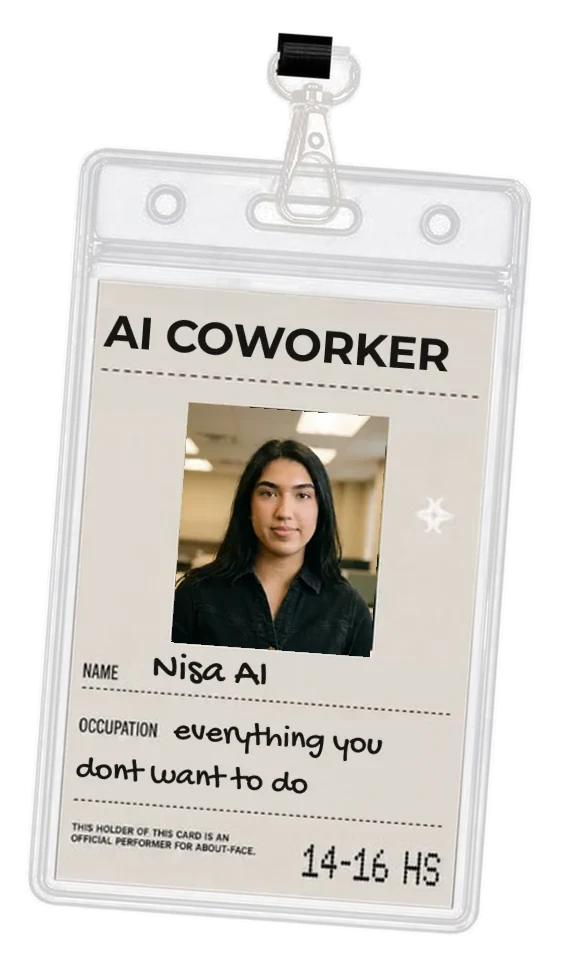
- What Nisa isNisa is a colleague who lives in your Slack, and on your phone through WhatsApp and iMessage.1 min read
Did not find it?
Ask Nisa directly in Slack, WhatsApp or iMessage. She knows these articles and your account.
Or write to us: support@dramalabs.co